
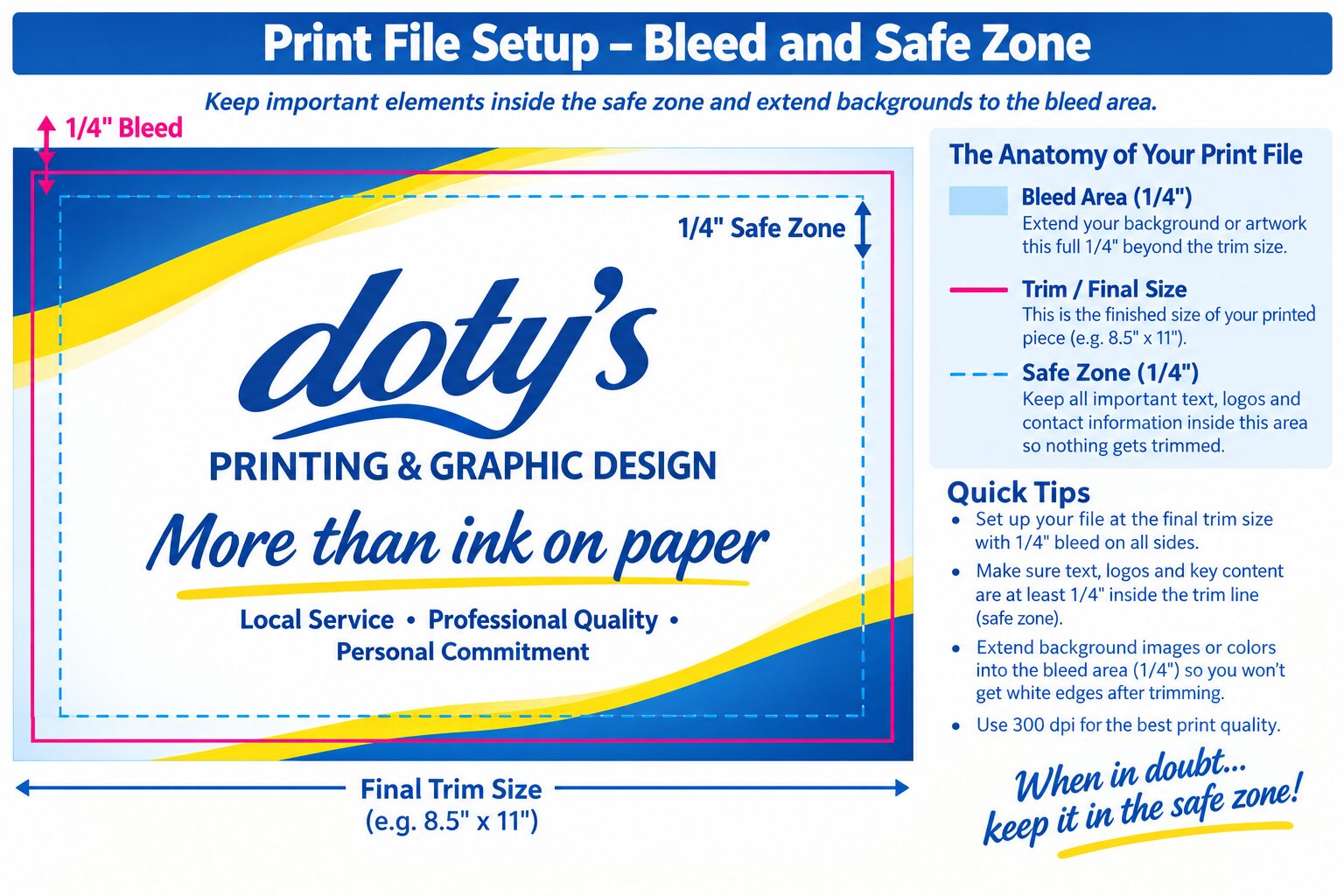
For the best professional results when designing your own file for printing, be sure your bleed and safe zones are set properly before submitting your file for print. Remember:
- Keep important elements like text, logo and other key content within a 1/4″ margin from the trim line. We call this the safe zone.
- If you have any colors, background, photos or graphics that go off the edge of your final document, extend them past the edge 1/4″. We call this a bleed.
- Avoid placing rule lines or border lines too close to the trim line. These should also be kept with the safe zone.
- Submit artwork in the correct finished size. For example, an 8.5″x11″ flyer should be designed and submitted as 8.5″x11″.
- Save your artwork in print-quality PDF format. CMYK color options usually provide the best outcome.
- If you are not sure your design is print-ready, please contact one of the helpful designers at Doty’s Printing & Graphic Design check it before production.